SWCOLLAB · Sovereign Workspace CollaborationPublic beta
Documentation, project tracking and requirements — finally connected.
Stop stitching together a wiki, a task tracker, spreadsheets and a separate requirements tool. SWCOLLAB gives your team one place to write documentation, plan work, manage requirements, track risks and prove what was actually delivered. Everything is connected. Everything stays current.
Run it in our European cloud, or self-host it on your own infrastructure. Free during public beta. No credit card.
No card. No automatic upgrade. Beta terms — public beta is provided as-is.
The same nine rows, drawn three ways. Nothing is copied or synced.
The problem
Your documentation should know what your team is actually doing.
Most teams have the same problem.
- The project plan is in a wiki.
- The work is in a task tracker.
- Requirements are somewhere else.
- Tests live in another system again.
Then someone asks: "Has this requirement actually been implemented and tested?" And suddenly five people are opening five different tools.
SWCOLLAB replaces that fragmented workflow with one connected workspace. Pages, tasks, requirements, risks, tests and files can reference each other directly — so your project documentation reflects the work that is actually happening.
Wiki
Write the plan once. Keep it connected to the work.
Project documentation usually starts accurate and slowly becomes fiction.
- Someone changes the schedule.
- A task gets delayed.
- A requirement changes.
- Nobody remembers to update the project page.
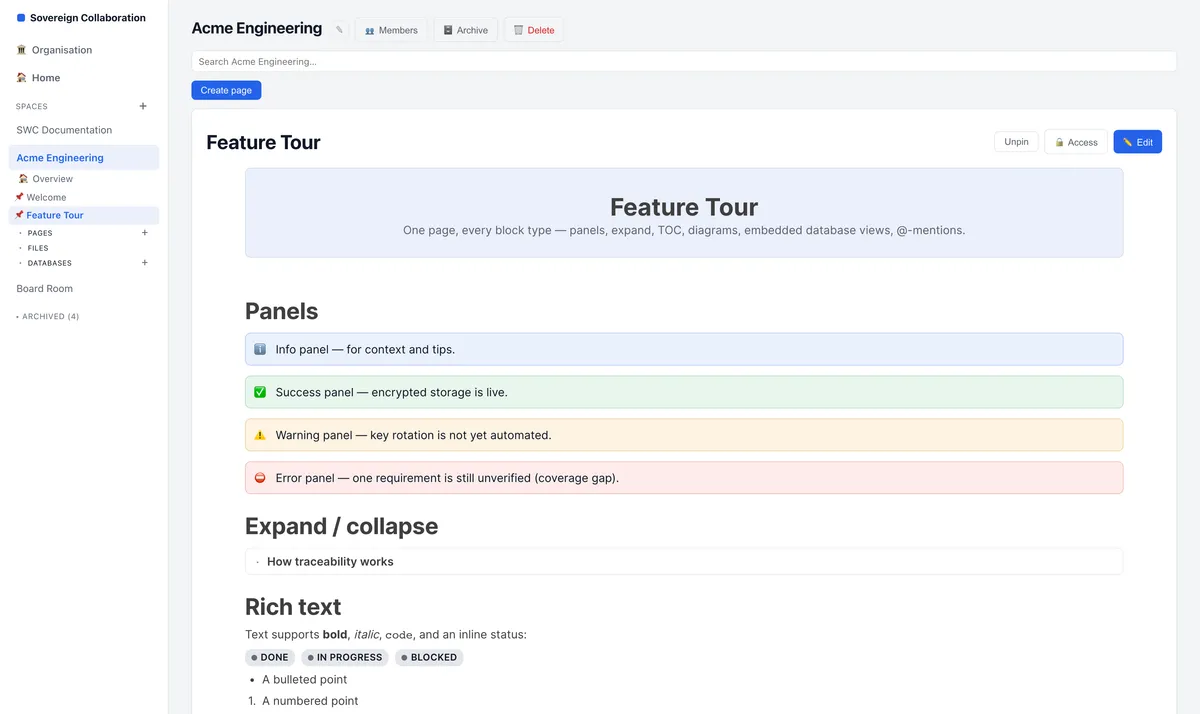
SWCOLLAB pages can contain live views of your project data. Embed your open tasks, release scope, risks or requirements directly inside a page. When the underlying records change, the page changes with them.
No screenshots. No copied tables. No weekly "please update the status document" ritual.
Pages also support rich text, panels, collapsible sections, diagrams, tables of contents, comments, @-mentions, permissions and complete version history.
Your documentation becomes part of the system — not a report about the system.
Work tracking
Tasks, requirements, risks and tests belong together.
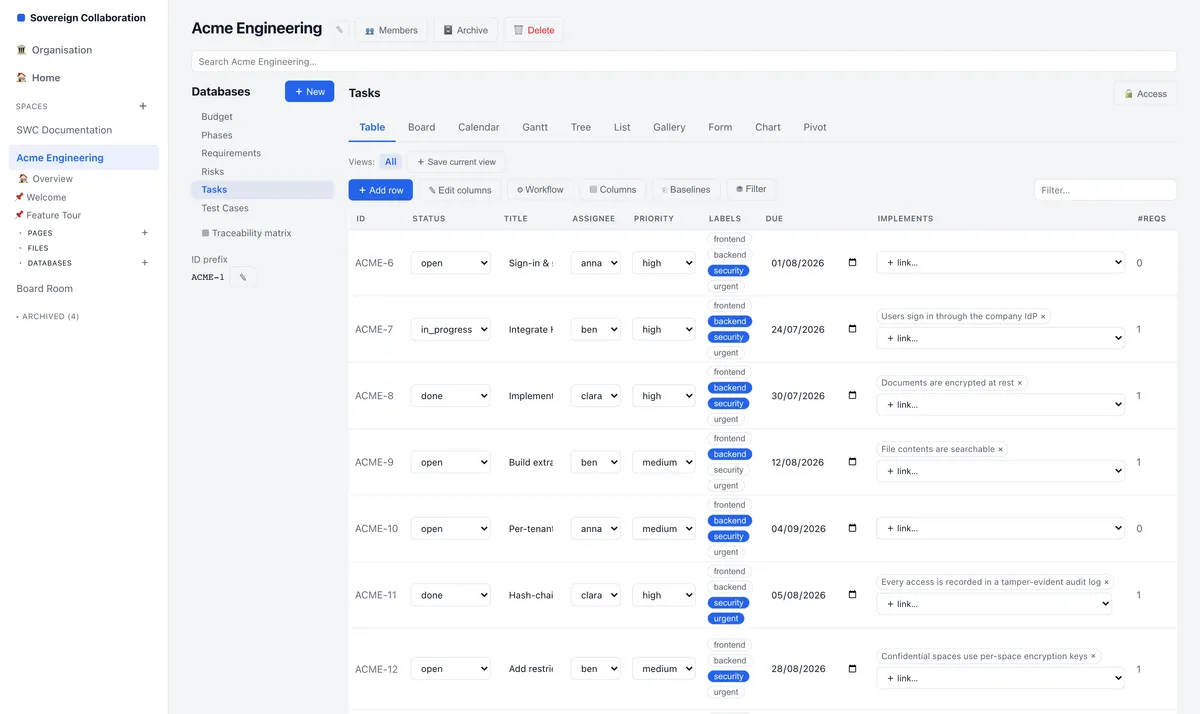
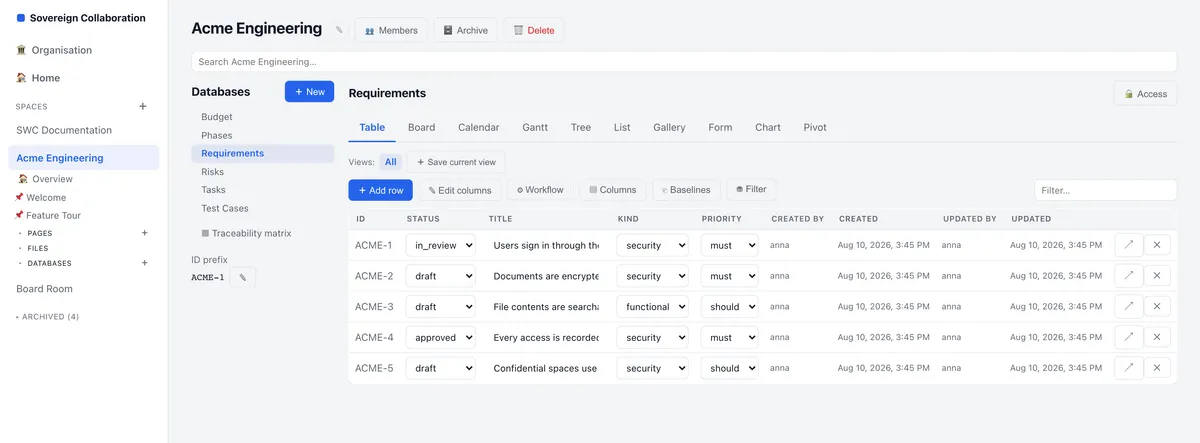
A task should not merely contain a pasted link to the requirement it supposedly implements. In SWCOLLAB, the relationship itself is stored.
A requirement can show:
- which tasks implement it
- which tests verify it
- which risks affect it
- which documents reference it
A task can show exactly which requirement it satisfies. A failed test can show which requirements and deliverables may now be at risk.
That means your team can answer questions such as:
- Which requirements have not been implemented?
- Which requirements have no test coverage?
- What will be affected if this requirement changes?
Without rebuilding the answer in Excel.
Views
One project. Nine ways to see it.
Different people need different views of the same work.
- Project managers want timelines.
- Engineers want boards.
- Analysts want tables.
- Management wants charts.
SWCOLLAB gives them all the view they need without creating another copy of the project.
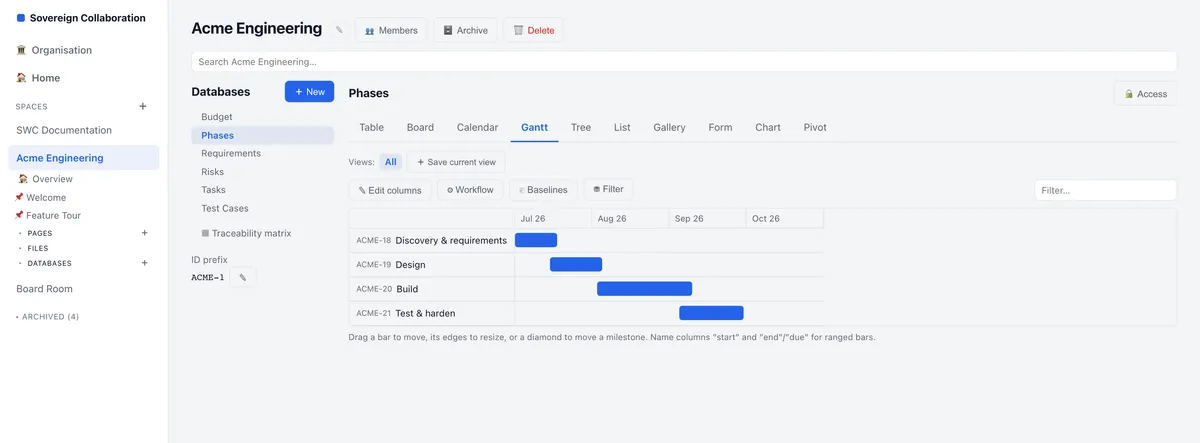
Use: Table · Board · Calendar · Gantt · Tree · List · Gallery · Chart · Pivot
Every view works from the same underlying records. Move a task on the board and the Gantt chart updates. Change a date in the table and the calendar updates. Update a requirement and every page embedding it reflects the change.
One source of truth. Multiple ways to work with it.
And every row can also open as a full page for specifications, discussions, attachments and detailed documentation.
Traceability
Know what changed. Know what it affects.
Requirements traceability is often treated as something teams prepare before an audit. SWCOLLAB makes it part of everyday work.
Because relationships between requirements, tasks, tests, risks and documents are stored directly in the system, SWCOLLAB can generate your traceability view from the work itself.
No manually maintained traceability spreadsheet. No stale dependency document. No detective work before an audit.
Files
Stop treating important documents like anonymous attachments.
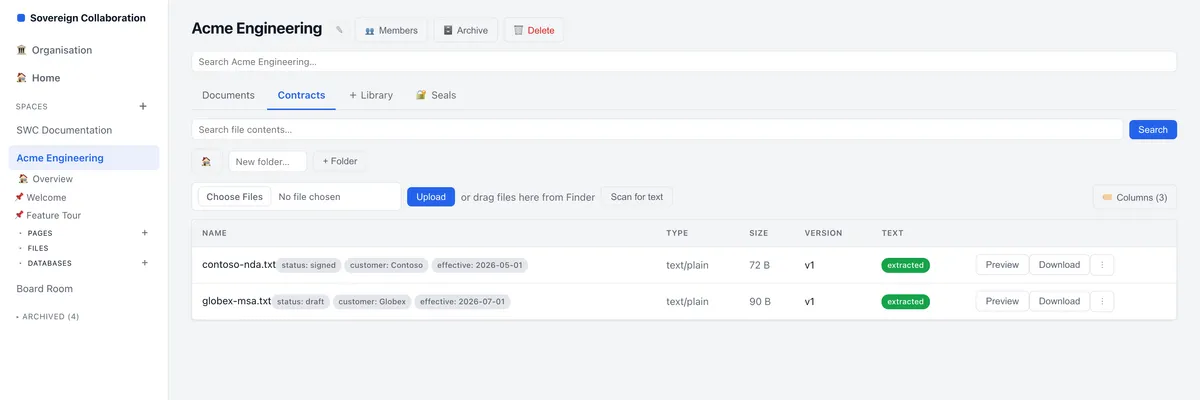
A contract is not just Contract_Final_v7_REALFINAL.pdf.
- It has a customer.
- A status.
- An effective date.
- An owner.
- A version history.
SWCOLLAB lets you add structured fields to file libraries so documents can be filtered, grouped and searched like any other project information.
Uploaded files automatically keep their version history.
Their contents can be extracted and indexed, so search can find information inside the document, not just inside its filename.
And when someone is editing a file, other users can see that it is locked, instead of accidentally overwriting the work.
Your files become part of the workspace instead of disappearing into a shared drive.
Access & security
Administration does not automatically mean access.
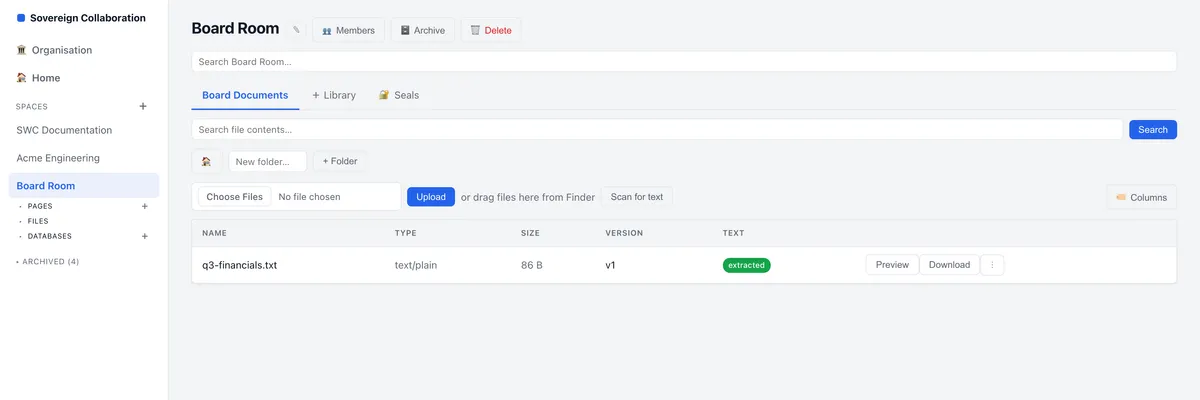
In many collaboration platforms, a system administrator can technically open almost anything. SWCOLLAB separates platform administration from content access.
Organisation administrators can:
- invite users
- manage accounts
- appoint administrators
- deactivate leavers
But becoming an administrator does not automatically grant access to private spaces. If an administrator is not a member of a space, they cannot simply browse its contents.
That separation also extends to how spaces can be protected:
- Standard — access controlled through workspace permissions with audited activity.
- Restricted — each space is encrypted under its own encryption key.
- Sealed — encrypted under a key even we do not hold. Available once you run SWCOLLAB on your own infrastructure; not yet part of the hosted platform.
Choose the protection level appropriate for the information you are storing.
Hosting
Hosted when you want convenience. Self-hosted when you want control.
Use SWCOLLAB as a managed service and leave the infrastructure to us, or run it inside your own environment when your organisation needs direct control over its data, security and operations.
You choose where SWCOLLAB runs.
Public beta pricing
Start free. Decide later.
SWCOLLAB is currently in public beta, and nothing is for sale yet. Signing up gets you the Free plan. From inside the product you can also take Plus or Business free for three months — no credit card, and no account ever becomes a paid subscription on its own. The prices below show where we expect the commercial plans to land when they become available.
| Plan | Hosted by us | Self-hosted licence (annual) |
|---|---|---|
| Free Open now2 users, 1 space, 50 pages, 50 MB of files, and the office editor. No card. | €0 | €0 |
| Plus 3 months freeUnlimited spaces, pages and work items. 5 GB per seat. | €8per user, per month | from €490€490 up to 10 users · €990 up to 25 · €2,490 up to 100 · €4,990 unlimited |
| Business 3 months freeEverything in Plus, with requirements traceability, restricted spaces, audit log export and 25 GB per seat. | €18per user, per month | from €990€990 up to 10 users · €1,990 up to 25 · €4,990 up to 100 · €9,990 unlimited |
Prices exclude VAT and are what we intend to charge, not an offer — they may change before the paid plans open. The three free months are one per workspace and run from the day you activate them. Single sign-on will be part of the Enterprise tier.
Replace the gaps between your tools.
- Your wiki should know which tasks belong to the release.
- Your tasks should know which requirements they implement.
- Your requirements should know which tests prove they work.
- Your files should be searchable alongside everything else.
- Your forms should file straight into the records they belong to.
- And your organisation should be able to decide where all of that data lives.
That is what SWCOLLAB is built for — one workspace for documentation, delivery and traceability.
And not only for projects. The same databases, forms, approvals and automations handle intake requests, reviews, onboarding and sign-off — anything with fields to fill in and steps to go through.
No card. No automatic upgrade.